
Chromecast Guide (Tower Building Only)
View your own video services on the television in your room by connecting it to devices like a smartphone.
STEP 1
Connect your device to the IMPERIAL HOTEL Wi-Fi Network.
STEP 2
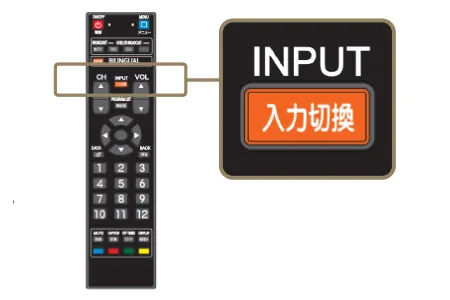
Use the INPUT button on the television remote control to select “ HDMI 1 ” .
STEP 3
Connect your device to the television.
-
1.Scan the QR code that appears on the screen.
-
2.Tap the Cast icon.
-
3.Select your room number and connect.
Cast icon